How CA Firms Can Manage Multiple Clients with One Unified ERP
16 Feb 2026
Nidhi Goda
Introduction
Running a Chartered Accountant (CA) firm isn’t just about balancing books anymore. These days, firms are expected to handle taxation, payroll, audits, compliance filings, and even financial advisory often for hundreds of clients at once.
And here’s the catch: most firms are still struggle with different tools for different clients. That means reviewing accounts endless, forgotten filing dates and records stored in different places, and the constant worry about security. It’s exhausting, and it slows growth.
This is where a Unified ERP system makes a real difference. Instead of constantly switching between spreadsheets, tax portals, and different accounting software, everything is organized in one place. You don’t have to jump from tool to tool anymore. Think of it like a central control room for your firm. One screen where you can track all your clients, all your services, and every important deadline clearly and calmly.
Table Of Content
1. Why a Unified ERP System Matters
1.1 Efficiency That Actually Saves Time
Switching between five different tools just to close the books? That’s a nightmare. With ERP, everything on one dashboard.
· Ledgers post automatically
· Duplicate entries disappear
· Client documents are stored centrally
The result: faster closings, smoother workflows, and more time to focus on advisory work instead of firefighting.
1.2 Accuracy You Can Trust
Manual systems often lead to mistakes. Even one missed entry can turn into a compliance issue. With an ERP, everything stays connected. Trial balances update properly. Tax calculations match the records. Audit trails are tracked automatically. You don’t have to keep checking and rechecking the numbers. When your data is accurate, clients trust you more and regulators don’t become a constant worry.
1.3 Real-Time Data at Your Fingertips
Clients don’t want to wait days for reports. With ERP, you can pull up profit & loss statements, balance sheets, receivables aging, or compliance status instantly. That kind of speed turns accountants into advisors, not just service providers.
2. Must-Have Features in an ERP for CA Firms
2.1 Client Management
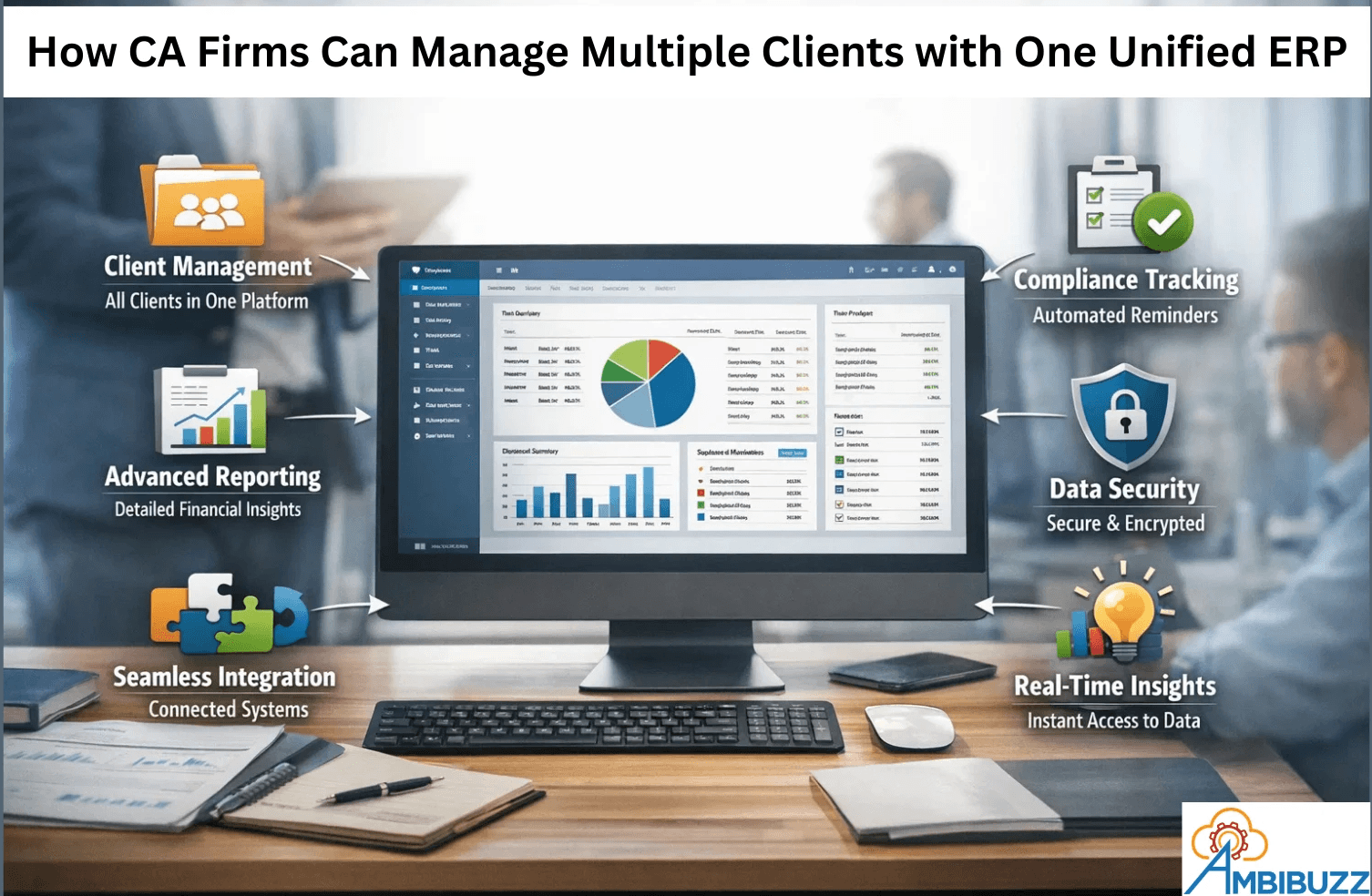
Manage multiple companies in one system. Give team members access based on their roles. Track deadlines easily. Keep all documents stored safely in one place.
No more searching through folders.
No more chasing emails for files.
2.2 Advanced Financial Reporting
Automated statements, consolidated reports, budget vs. actual comparisons, and customizable dashboards. This isn’t just compliance it’s insight.
2.3 Compliance Tracking
GST, TDS, filing reminders, audit-ready documentation all automated. Deadlines stop being a headache.
2.4 Data Security
Role-based permissions, encrypted cloud storage, secure audit trails, and backups. Clients trust you with sensitive data; ERP helps you protect it.
2.5 Integration Capabilities
Banking systems, payroll tools, CRMs, government tax portals everything should connect seamlessly. Integration keeps workflows smooth and reduces duplication.
3. How to Successfully Implement ERP
3.1 Assess Your Firm’s Needs
Don’t just buy the first ERP you see. Look at your client base, services, reporting requirements, and compliance workload. The right system should fit your firm, not the other way around.
3.2 Pick the Right Solution
Go for a scalable, cloud-based ERP built with CA firms in mind. Customization is key you want something that grows with you.
3.3 Train Your Team
Even the best ERP fails if your staff doesn’t know how to use it. Invest in hands-on training, workflow demos, and role-based onboarding. Confidence drives adoption.
3.4 Keep Improving
ERP isn’t a one-and-done project. Gather feedback, monitor performance, tweak workflows, and update modules. Treat it as a living system that evolves with your firm.
4. Case Studies
Case Study 1: Mid-Sized Firm with 120+ Clients This firm was drowning in compliance deadlines across multiple systems. After moving to ERP:
· Compliance tracking improved by 40%
· Manual reconciliation dropped by 60%
· Client response times shrank dramatically
Partners could finally see client performance in real time.
Case Study 2: Multi-Branch Practice A firm with offices in different cities struggled with reporting delays. ERP changed the game:
· Consolidation became automatic
· Audit prep time fell by 35%
· Data accuracy shot up
They shifted from reactive reporting to proactive advisory.
5. Conclusion
Managing multiple clients with disconnected tools is a recipe for inefficiency and risk. A unified ERP system changes the game by:
· Streamlining operations
· Centralizing client management
· Automating compliance
· Delivering real-time insights
· Protecting sensitive data
With the right ERP strategy, CA firms stop firefighting and start leading.
6. Call to Action
Is your firm still juggling spreadsheets and scattered tools? It might be time to rethink how you manage clients. Share your challenges or explore how a unified ERP can simplify your workflows, strengthen compliance, and free up time for real advisory work.
1. Why a Unified ERP System Matters
1.1 Efficiency That Actually Saves Time
Switching between five different tools just to close the books? That’s a nightmare. With ERP, everything on one dashboard.
· Ledgers post automatically
· Duplicate entries disappear
· Client documents are stored centrally
The result: faster closings, smoother workflows, and more time to focus on advisory work instead of firefighting.
1.2 Accuracy You Can Trust
Manual systems often lead to mistakes. Even one missed entry can turn into a compliance issue. With an ERP, everything stays connected. Trial balances update properly. Tax calculations match the records. Audit trails are tracked automatically. You don’t have to keep checking and rechecking the numbers. When your data is accurate, clients trust you more and regulators don’t become a constant worry.
1.3 Real-Time Data at Your Fingertips
Clients don’t want to wait days for reports. With ERP, you can pull up profit & loss statements, balance sheets, receivables aging, or compliance status instantly. That kind of speed turns accountants into advisors, not just service providers.
2. Must-Have Features in an ERP for CA Firms
2.1 Client Management
Manage multiple companies in one system. Give team members access based on their roles. Track deadlines easily. Keep all documents stored safely in one place.
No more searching through folders.
No more chasing emails for files.
2.2 Advanced Financial Reporting
Automated statements, consolidated reports, budget vs. actual comparisons, and customizable dashboards. This isn’t just compliance it’s insight.
2.3 Compliance Tracking
GST, TDS, filing reminders, audit-ready documentation all automated. Deadlines stop being a headache.
2.4 Data Security
Role-based permissions, encrypted cloud storage, secure audit trails, and backups. Clients trust you with sensitive data; ERP helps you protect it.
2.5 Integration Capabilities
Banking systems, payroll tools, CRMs, government tax portals everything should connect seamlessly. Integration keeps workflows smooth and reduces duplication.
3. How to Successfully Implement ERP
3.1 Assess Your Firm’s Needs
Don’t just buy the first ERP you see. Look at your client base, services, reporting requirements, and compliance workload. The right system should fit your firm, not the other way around.
3.2 Pick the Right Solution
Go for a scalable, cloud-based ERP built with CA firms in mind. Customization is key you want something that grows with you.
3.3 Train Your Team
Even the best ERP fails if your staff doesn’t know how to use it. Invest in hands-on training, workflow demos, and role-based onboarding. Confidence drives adoption.
3.4 Keep Improving
ERP isn’t a one-and-done project. Gather feedback, monitor performance, tweak workflows, and update modules. Treat it as a living system that evolves with your firm.
4. Case Studies
Case Study 1: Mid-Sized Firm with 120+ Clients This firm was drowning in compliance deadlines across multiple systems. After moving to ERP:
· Compliance tracking improved by 40%
· Manual reconciliation dropped by 60%
· Client response times shrank dramatically
Partners could finally see client performance in real time.
Case Study 2: Multi-Branch Practice A firm with offices in different cities struggled with reporting delays. ERP changed the game:
· Consolidation became automatic
· Audit prep time fell by 35%
· Data accuracy shot up
They shifted from reactive reporting to proactive advisory.
5. Conclusion
Managing multiple clients with disconnected tools is a recipe for inefficiency and risk. A unified ERP system changes the game by:
· Streamlining operations
· Centralizing client management
· Automating compliance
· Delivering real-time insights
· Protecting sensitive data
With the right ERP strategy, CA firms stop firefighting and start leading.
6. Call to Action
Is your firm still juggling spreadsheets and scattered tools? It might be time to rethink how you manage clients. Share your challenges or explore how a unified ERP can simplify your workflows, strengthen compliance, and free up time for real advisory work.