Cloud ERP vs BI vs Automation: What Should Indian Businesses Prioritize First?
|
Ambibuzz Team
Introduction
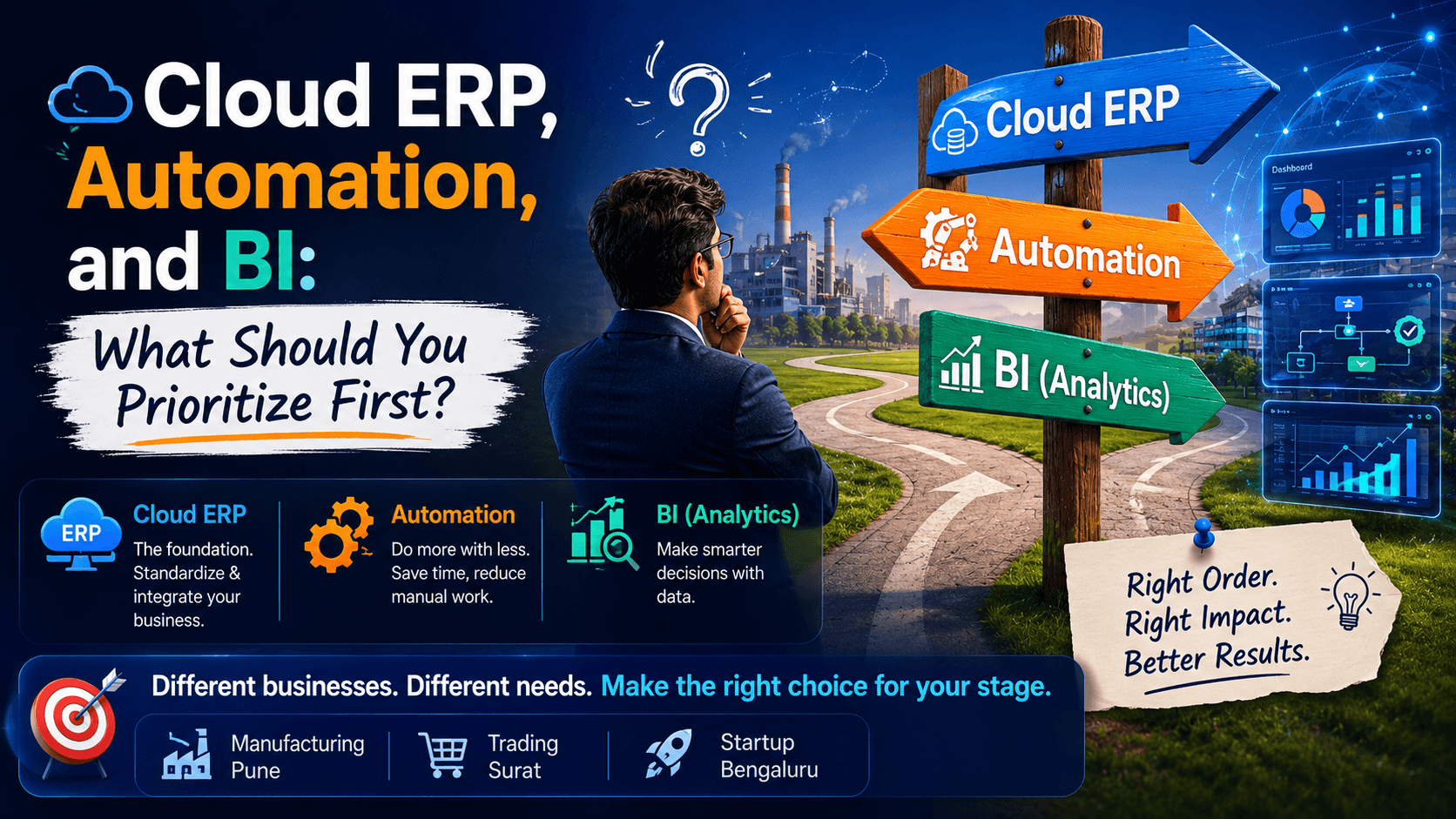
Cloud ERP, Business Intelligence (BI), and automation are the three most important technologies driving digital transformation for Indian businesses today. But implementing them in the wrong order can create operational complexity, poor adoption, disconnected workflows, and wasted investment.
Many businesses know they need technology modernization but struggle to decide where to begin. Should they centralize operations with ERP software? Build dashboards with BI tools? Or automate repetitive work using workflow automation and AI-powered systems?
The answer depends on your operational maturity, business goals, and biggest pain points.
A manufacturing company in Pune struggling with inventory visibility may need ERP first. A growing distribution company in Surat may benefit from ERP plus inventory automation. A service company in Bengaluru handling large amounts of operational data may need BI dashboards to improve decision-making.
This guide explains how ERP, BI, and automation work together — and which solution Indian SMEs should prioritize first based on business stage, operational challenges, and growth plans.
Quick Summary – What This Blog Covers
Cloud ERP centralizes finance, inventory, HR, CRM, and operations into one platform.
BI dashboards transform operational data into actionable business insights.
Workflow automation removes repetitive manual tasks and improves efficiency.
Most Indian SMEs should implement ERP before BI or automation.
ERPNext and Odoo provide strong foundations for scalable digital transformation.
BI and automation perform best when connected to structured ERP data.
The wrong implementation sequence can create operational confusion and poor ROI.
Table Of Content
What Is Cloud ERP?
Cloud ERP (Enterprise Resource Planning) is software that centralizes and manages core business operations within one unified system. It connects finance, inventory, procurement, HR, sales, CRM, manufacturing, and reporting into a single operational platform.
Unlike traditional on-premise ERP systems, Cloud ERP runs on secure cloud infrastructure, eliminating the need for expensive servers or large IT teams. Teams can access operational data from anywhere while management gets real-time visibility into business performance.
For Indian SMEs, Cloud ERP software acts as the digital backbone of operations. It replaces disconnected spreadsheets, siloed tools, and inconsistent workflows with standardized business processes.
Why Cloud ERP Matters for Growing Businesses
Centralized Operational Visibility
ERP creates a single source of truth across departments.
Teams work using real-time operational data instead of disconnected spreadsheets.
Management gains better visibility into inventory, finance, procurement, and sales.
Improved Process Standardization
ERP systems standardize workflows and approvals.
Businesses reduce operational confusion and duplicate work.
Teams follow consistent operational processes across locations.
Better Scalability
ERP systems support business growth without operational chaos.
Businesses can handle higher transaction volumes efficiently.
Multi-location and multi-department operations become easier to manage.
Stronger Compliance Management
GST-ready ERP systems simplify Indian compliance workflows.
Businesses reduce accounting errors and reporting delays.
Audit tracking and operational transparency improve significantly.
Common Cloud ERP Features
financial accounting
inventory management
procurement workflows
CRM integration
HR and payroll
manufacturing management
GST-ready invoicing
multi-location operations
workflow approvals
real-time dashboards
Popular ERP Platforms for Indian SMEs
ERPNext for SMEs
strong manufacturing workflows
inventory and warehouse management
customizable workflows
built-in reporting dashboards
cost-effective for growing businesses
Odoo ERP Implementation
modular business applications
CRM and sales automation
flexible customization
strong operational scalability
suitable for multiple industries
What Is Business Intelligence (BI)?
Business Intelligence (BI) refers to software systems that convert business data into dashboards, reports, analytics, and operational insights. BI helps leadership teams make faster and smarter decisions using visual data analysis.
BI dashboards pull information from ERP systems, CRM platforms, spreadsheets, and databases to track KPIs, sales performance, inventory movement, procurement trends, and financial metrics in real time.
However, BI software is only as effective as the data behind it. Businesses without structured operational data often struggle with inaccurate dashboards and inconsistent reporting.
Why Businesses Use BI Dashboards
Faster Decision-Making
Leadership teams no longer wait for manual Excel reports.
KPI dashboards provide real-time operational visibility.
Businesses can respond to issues faster.
Better Performance Tracking
BI tools monitor sales, inventory, procurement, and profitability.
Teams identify operational bottlenecks quickly.
Data-driven planning becomes easier.
Improved Forecasting
BI systems support demand forecasting and trend analysis.
Businesses gain visibility into customer and operational patterns.
Strategic planning becomes more accurate.
Investor & Stakeholder Reporting
BI dashboards simplify business reporting for investors and management.
Operational transparency improves significantly.
Automated reporting reduces manual work.
Common BI Dashboard Capabilities
sales analytics
KPI dashboards
inventory analytics
financial reporting
customer segmentation
procurement analytics
forecasting dashboards
operational performance tracking
What Is Business Automation?
Business automation uses workflow software, triggers, bots, and AI systems to eliminate repetitive manual tasks. Automation reduces operational delays, improves efficiency, and lowers dependency on repetitive administrative work.
Automation can range from simple workflow approvals to AI-powered customer support systems and intelligent operational workflows.
For Indian SMEs, automation often delivers the fastest short-term productivity gains.
Why Businesses Invest in Automation
Reduced Manual Work
Employees spend less time on repetitive operational tasks.
Automation improves productivity significantly.
Teams can focus on higher-value work.
Faster Operational Workflows
Approval cycles become quicker.
Notifications and reminders happen automatically.
Operational bottlenecks reduce significantly.
Lower Error Rates
Automated workflows reduce manual mistakes.
Compliance processes become more consistent.
Reporting accuracy improves.
Better Customer Experience
AI chatbots improve response speed.
Automated communication improves customer engagement.
Customer support becomes more scalable.
Common Automation Use Cases
automated GST invoicing
payment reminders
approval workflows
AI chatbot support
WhatsApp notifications
payroll automation
CRM follow-ups
procurement automation
inventory reorder triggers
ERP vs BI vs Automation: Detailed Comparison
Factor | ERP | BI | Automation |
Main Purpose | Operations management | Business insights | Workflow efficiency |
Best For | Growing SMEs | Data-driven businesses | Process-heavy teams |
Core Benefit | Centralized operations | Better decision-making | Reduced manual work |
Implementation Time | Medium | Fast | Fast |
Dependency | None | Needs structured data | Works best with ERP |
Primary Users | Entire organization | Leadership teams | Operations teams |
ROI Timeline | Medium-term | Medium-term | Fast |
Operational Impact | High | Strategic | Tactical |
Scalability Value | Very High | High | High |
Signs Your Business Needs Cloud ERP
Inventory Mismatches
Stock levels do not match physical inventory.
Teams struggle with inventory visibility.
Procurement planning becomes inconsistent.
Excel Dependency
Multiple departments rely heavily on spreadsheets.
Operational reporting takes too long.
Data duplication becomes common.
Disconnected Departments
Finance, sales, HR, and procurement use separate tools.
Teams work with inconsistent data.
Cross-department coordination suffers.
Delayed Operational Reporting
Management lacks real-time business visibility.
Reports require significant manual effort.
Decision-making becomes slower.
Signs Your Business Needs BI Dashboards
Slow Decision-Making
Teams wait days for operational reports.
Leadership lacks real-time KPIs.
Strategic planning becomes reactive.
Data Overload
Businesses collect data but cannot extract insights.
Reporting complexity increases with growth.
Teams struggle to identify trends.
Multi-Location Operations
Comparing branch performance becomes difficult.
Centralized visibility is missing.
Operational analysis takes too much time.
Signs Your Business Needs Automation
Repetitive Operational Tasks
Teams spend hours on data entry and approvals.
Manual notifications create delays.
Employees lose productivity on repetitive work.
High Operational Errors
Manual invoicing creates accounting issues.
Follow-ups and approvals are inconsistent.
Compliance workflows become difficult to manage.
Customer Response Delays
Support teams struggle with ticket volume.
Customer communication lacks consistency.
Operational scale becomes difficult.
Industry-Specific Recommendations
Manufacturing Businesses
Recommended Priority
ERP first, then automation.
Why?
Manufacturing requires inventory and production visibility.
ERPNext manufacturing workflows improve operational control.
Automation can later optimize procurement and production planning.
Retail & Distribution Businesses
Recommended Priority
ERP + inventory automation.
Why?
Stock management and order visibility are critical.
Automated reorder workflows reduce stockouts.
BI dashboards improve sales visibility.
Service Businesses
Recommended Priority
CRM-integrated ERP + BI.
Why?
Service companies rely heavily on reporting and resource planning.
BI dashboards improve project and profitability tracking.
CRM workflows improve customer management.
Construction Businesses
Recommended Priority
Project ERP + workflow automation.
Why?
Construction operations involve approvals and project coordination.
ERP improves project visibility.
Workflow automation reduces approval delays.
Pharmaceutical Businesses
Recommended Priority
ERP + compliance automation.
Why?
Pharma businesses require traceability and compliance tracking.
ERP centralizes inventory and batch management.
Automation improves compliance workflows significantly.
How ERP, BI, and Automation Work Together
The strongest digital transformation strategy combines all three technologies strategically.
ERP = Operational Foundation
centralizes business data
standardizes workflows
creates operational visibility
BI = Decision Intelligence Layer
transforms ERP data into insights
enables KPI monitoring
improves planning and forecasting
Automation = Execution Layer
automates repetitive workflows
improves operational efficiency
reduces manual dependency
Together, these technologies create scalable and data-driven business operations.
According to Gartner, businesses using integrated ERP and BI systems can improve reporting efficiency significantly while reducing operational delays.
What Happens If You Choose Wrong First?
Implementing BI Before ERP
dashboards become unreliable
data inconsistency increases
leadership loses trust in analytics
Automating Broken Processes
operational inefficiencies scale faster
errors become harder to track
workflow complexity increases
ERP Without Process Cleanup
low employee adoption
operational resistance
poor implementation outcomes
Over-Customizing Too Early
implementation costs increase
maintenance complexity rises
scalability becomes difficult
Common Digital Transformation Mistakes Businesses Make
Implementing Technology Without Strategy
Businesses buy tools before defining operational goals.
Teams struggle with adoption and ROI measurement.
Ignoring Employee Training
Systems fail when teams are not trained properly.
User adoption is critical for digital success.
Using Too Many Disconnected Tools
Operational complexity increases.
Reporting and workflows become fragmented.
Focusing Only on Software
Technology alone does not fix broken operations.
Businesses must optimize processes alongside implementation.
Recommended Digital Transformation Roadmap
Phase 1 — Build the ERP Foundation
implement ERPNext or Odoo
centralize finance and inventory
standardize operational workflows
establish clean data processes
Phase 2 — Add BI Dashboards
connect ERP data to BI tools
build KPI dashboards
improve operational visibility
enable faster decision-making
Phase 3 — Layer Workflow Automation
automate repetitive workflows
deploy AI-powered notifications
optimize approvals and communication
improve operational scalability
Business Maturity Model
Stage 1 — Excel & WhatsApp Operations
Manual processes and disconnected communication dominate workflows.
Stage 2 — ERP Implementation
Businesses centralize operations using Cloud ERP software.
Stage 3 — BI Dashboard Adoption
Leadership gains operational visibility through analytics dashboards.
Stage 4 — Workflow Automation
Businesses automate repetitive operational tasks and approvals.
Stage 5 — AI-Driven Operations
Advanced AI systems support predictive and intelligent operations.
Typical Digital Transformation Investment Ranges
Solution | Typical SME Investment |
Cloud ERP | INR 50,000 – 5 Lakhs+ |
BI Dashboards | INR 25,000 – 2 Lakhs+ |
Workflow Automation | INR 20,000 – 3 Lakhs+ |
ERP + BI + Automation | Depends on complexity |
Investment varies based on:
customization
integrations
user count
operational complexity
implementation scope
Technologies Commonly Used by Ambibuzz
ERPNext
Odoo
Frappe Insights
Power BI
workflow automation tools
AI chatbot integrations
WhatsApp business integrations
reporting and analytics systems
Real-World Example
A Pune-based distribution company implemented ERPNext first to centralize inventory, finance, and procurement workflows. After four months, the company added BI dashboards for sales and inventory reporting. Reporting time reduced from three days to under 30 minutes, while inventory visibility improved significantly across locations.
Frequently Asked Questions
Can BI work without ERP?
Yes, but BI dashboards are far more effective when connected to structured ERP data.
Should SMEs start with ERP or automation?
Most SMEs should start with ERP because it creates the operational foundation required for scalable automation.
What is the difference between ERP and BI?
ERP manages operations, while BI analyzes operational data and provides insights.
Is ERPNext good for SMEs?
Yes. ERPNext is highly suitable for SMEs because it is flexible, scalable, and cost-effective.
How long does ERP implementation take?
Most SME ERP implementations take between 6 and 12 weeks depending on complexity.
Is automation expensive for Indian businesses?
Not necessarily. Many workflow automation tools are affordable and scalable for SMEs.
Conclusion: Build the Right Foundation First
The question is not whether ERP, BI, or automation is better.
The real question is:
What does your business need most right now?
For most Indian SMEs, Cloud ERP should come first because it creates the operational structure required for analytics, reporting, and workflow automation. Once ERP standardizes processes and data, businesses can layer BI dashboards and automation strategically for maximum ROI.
At Ambibuzz Technologies, we help businesses implement:
ERPNext
Odoo
BI dashboards
workflow automation
AI-powered operational systems
digital transformation strategies
tailored to real operational challenges and business growth goals.
Ready to build your digital transformation roadmap?
Visit www.ambibuzz.com and connect with our team for a free digital maturity assessment.
What Is Cloud ERP?
Cloud ERP (Enterprise Resource Planning) is software that centralizes and manages core business operations within one unified system. It connects finance, inventory, procurement, HR, sales, CRM, manufacturing, and reporting into a single operational platform.
Unlike traditional on-premise ERP systems, Cloud ERP runs on secure cloud infrastructure, eliminating the need for expensive servers or large IT teams. Teams can access operational data from anywhere while management gets real-time visibility into business performance.
For Indian SMEs, Cloud ERP software acts as the digital backbone of operations. It replaces disconnected spreadsheets, siloed tools, and inconsistent workflows with standardized business processes.
Why Cloud ERP Matters for Growing Businesses
Centralized Operational Visibility
ERP creates a single source of truth across departments.
Teams work using real-time operational data instead of disconnected spreadsheets.
Management gains better visibility into inventory, finance, procurement, and sales.
Improved Process Standardization
ERP systems standardize workflows and approvals.
Businesses reduce operational confusion and duplicate work.
Teams follow consistent operational processes across locations.
Better Scalability
ERP systems support business growth without operational chaos.
Businesses can handle higher transaction volumes efficiently.
Multi-location and multi-department operations become easier to manage.
Stronger Compliance Management
GST-ready ERP systems simplify Indian compliance workflows.
Businesses reduce accounting errors and reporting delays.
Audit tracking and operational transparency improve significantly.
Common Cloud ERP Features
financial accounting
inventory management
procurement workflows
CRM integration
HR and payroll
manufacturing management
GST-ready invoicing
multi-location operations
workflow approvals
real-time dashboards
Popular ERP Platforms for Indian SMEs
ERPNext for SMEs
strong manufacturing workflows
inventory and warehouse management
customizable workflows
built-in reporting dashboards
cost-effective for growing businesses
Odoo ERP Implementation
modular business applications
CRM and sales automation
flexible customization
strong operational scalability
suitable for multiple industries
What Is Business Intelligence (BI)?
Business Intelligence (BI) refers to software systems that convert business data into dashboards, reports, analytics, and operational insights. BI helps leadership teams make faster and smarter decisions using visual data analysis.
BI dashboards pull information from ERP systems, CRM platforms, spreadsheets, and databases to track KPIs, sales performance, inventory movement, procurement trends, and financial metrics in real time.
However, BI software is only as effective as the data behind it. Businesses without structured operational data often struggle with inaccurate dashboards and inconsistent reporting.
Why Businesses Use BI Dashboards
Faster Decision-Making
Leadership teams no longer wait for manual Excel reports.
KPI dashboards provide real-time operational visibility.
Businesses can respond to issues faster.
Better Performance Tracking
BI tools monitor sales, inventory, procurement, and profitability.
Teams identify operational bottlenecks quickly.
Data-driven planning becomes easier.
Improved Forecasting
BI systems support demand forecasting and trend analysis.
Businesses gain visibility into customer and operational patterns.
Strategic planning becomes more accurate.
Investor & Stakeholder Reporting
BI dashboards simplify business reporting for investors and management.
Operational transparency improves significantly.
Automated reporting reduces manual work.
Common BI Dashboard Capabilities
sales analytics
KPI dashboards
inventory analytics
financial reporting
customer segmentation
procurement analytics
forecasting dashboards
operational performance tracking
What Is Business Automation?
Business automation uses workflow software, triggers, bots, and AI systems to eliminate repetitive manual tasks. Automation reduces operational delays, improves efficiency, and lowers dependency on repetitive administrative work.
Automation can range from simple workflow approvals to AI-powered customer support systems and intelligent operational workflows.
For Indian SMEs, automation often delivers the fastest short-term productivity gains.
Why Businesses Invest in Automation
Reduced Manual Work
Employees spend less time on repetitive operational tasks.
Automation improves productivity significantly.
Teams can focus on higher-value work.
Faster Operational Workflows
Approval cycles become quicker.
Notifications and reminders happen automatically.
Operational bottlenecks reduce significantly.
Lower Error Rates
Automated workflows reduce manual mistakes.
Compliance processes become more consistent.
Reporting accuracy improves.
Better Customer Experience
AI chatbots improve response speed.
Automated communication improves customer engagement.
Customer support becomes more scalable.
Common Automation Use Cases
automated GST invoicing
payment reminders
approval workflows
AI chatbot support
WhatsApp notifications
payroll automation
CRM follow-ups
procurement automation
inventory reorder triggers
ERP vs BI vs Automation: Detailed Comparison
Factor | ERP | BI | Automation |
Main Purpose | Operations management | Business insights | Workflow efficiency |
Best For | Growing SMEs | Data-driven businesses | Process-heavy teams |
Core Benefit | Centralized operations | Better decision-making | Reduced manual work |
Implementation Time | Medium | Fast | Fast |
Dependency | None | Needs structured data | Works best with ERP |
Primary Users | Entire organization | Leadership teams | Operations teams |
ROI Timeline | Medium-term | Medium-term | Fast |
Operational Impact | High | Strategic | Tactical |
Scalability Value | Very High | High | High |
Signs Your Business Needs Cloud ERP
Inventory Mismatches
Stock levels do not match physical inventory.
Teams struggle with inventory visibility.
Procurement planning becomes inconsistent.
Excel Dependency
Multiple departments rely heavily on spreadsheets.
Operational reporting takes too long.
Data duplication becomes common.
Disconnected Departments
Finance, sales, HR, and procurement use separate tools.
Teams work with inconsistent data.
Cross-department coordination suffers.
Delayed Operational Reporting
Management lacks real-time business visibility.
Reports require significant manual effort.
Decision-making becomes slower.
Signs Your Business Needs BI Dashboards
Slow Decision-Making
Teams wait days for operational reports.
Leadership lacks real-time KPIs.
Strategic planning becomes reactive.
Data Overload
Businesses collect data but cannot extract insights.
Reporting complexity increases with growth.
Teams struggle to identify trends.
Multi-Location Operations
Comparing branch performance becomes difficult.
Centralized visibility is missing.
Operational analysis takes too much time.
Signs Your Business Needs Automation
Repetitive Operational Tasks
Teams spend hours on data entry and approvals.
Manual notifications create delays.
Employees lose productivity on repetitive work.
High Operational Errors
Manual invoicing creates accounting issues.
Follow-ups and approvals are inconsistent.
Compliance workflows become difficult to manage.
Customer Response Delays
Support teams struggle with ticket volume.
Customer communication lacks consistency.
Operational scale becomes difficult.
Industry-Specific Recommendations
Manufacturing Businesses
Recommended Priority
ERP first, then automation.
Why?
Manufacturing requires inventory and production visibility.
ERPNext manufacturing workflows improve operational control.
Automation can later optimize procurement and production planning.
Retail & Distribution Businesses
Recommended Priority
ERP + inventory automation.
Why?
Stock management and order visibility are critical.
Automated reorder workflows reduce stockouts.
BI dashboards improve sales visibility.
Service Businesses
Recommended Priority
CRM-integrated ERP + BI.
Why?
Service companies rely heavily on reporting and resource planning.
BI dashboards improve project and profitability tracking.
CRM workflows improve customer management.
Construction Businesses
Recommended Priority
Project ERP + workflow automation.
Why?
Construction operations involve approvals and project coordination.
ERP improves project visibility.
Workflow automation reduces approval delays.
Pharmaceutical Businesses
Recommended Priority
ERP + compliance automation.
Why?
Pharma businesses require traceability and compliance tracking.
ERP centralizes inventory and batch management.
Automation improves compliance workflows significantly.
How ERP, BI, and Automation Work Together
The strongest digital transformation strategy combines all three technologies strategically.
ERP = Operational Foundation
centralizes business data
standardizes workflows
creates operational visibility
BI = Decision Intelligence Layer
transforms ERP data into insights
enables KPI monitoring
improves planning and forecasting
Automation = Execution Layer
automates repetitive workflows
improves operational efficiency
reduces manual dependency
Together, these technologies create scalable and data-driven business operations.
According to Gartner, businesses using integrated ERP and BI systems can improve reporting efficiency significantly while reducing operational delays.
What Happens If You Choose Wrong First?
Implementing BI Before ERP
dashboards become unreliable
data inconsistency increases
leadership loses trust in analytics
Automating Broken Processes
operational inefficiencies scale faster
errors become harder to track
workflow complexity increases
ERP Without Process Cleanup
low employee adoption
operational resistance
poor implementation outcomes
Over-Customizing Too Early
implementation costs increase
maintenance complexity rises
scalability becomes difficult
Common Digital Transformation Mistakes Businesses Make
Implementing Technology Without Strategy
Businesses buy tools before defining operational goals.
Teams struggle with adoption and ROI measurement.
Ignoring Employee Training
Systems fail when teams are not trained properly.
User adoption is critical for digital success.
Using Too Many Disconnected Tools
Operational complexity increases.
Reporting and workflows become fragmented.
Focusing Only on Software
Technology alone does not fix broken operations.
Businesses must optimize processes alongside implementation.
Recommended Digital Transformation Roadmap
Phase 1 — Build the ERP Foundation
implement ERPNext or Odoo
centralize finance and inventory
standardize operational workflows
establish clean data processes
Phase 2 — Add BI Dashboards
connect ERP data to BI tools
build KPI dashboards
improve operational visibility
enable faster decision-making
Phase 3 — Layer Workflow Automation
automate repetitive workflows
deploy AI-powered notifications
optimize approvals and communication
improve operational scalability
Business Maturity Model
Stage 1 — Excel & WhatsApp Operations
Manual processes and disconnected communication dominate workflows.
Stage 2 — ERP Implementation
Businesses centralize operations using Cloud ERP software.
Stage 3 — BI Dashboard Adoption
Leadership gains operational visibility through analytics dashboards.
Stage 4 — Workflow Automation
Businesses automate repetitive operational tasks and approvals.
Stage 5 — AI-Driven Operations
Advanced AI systems support predictive and intelligent operations.
Typical Digital Transformation Investment Ranges
Solution | Typical SME Investment |
Cloud ERP | INR 50,000 – 5 Lakhs+ |
BI Dashboards | INR 25,000 – 2 Lakhs+ |
Workflow Automation | INR 20,000 – 3 Lakhs+ |
ERP + BI + Automation | Depends on complexity |
Investment varies based on:
customization
integrations
user count
operational complexity
implementation scope
Technologies Commonly Used by Ambibuzz
ERPNext
Odoo
Frappe Insights
Power BI
workflow automation tools
AI chatbot integrations
WhatsApp business integrations
reporting and analytics systems
Real-World Example
A Pune-based distribution company implemented ERPNext first to centralize inventory, finance, and procurement workflows. After four months, the company added BI dashboards for sales and inventory reporting. Reporting time reduced from three days to under 30 minutes, while inventory visibility improved significantly across locations.
Frequently Asked Questions
Can BI work without ERP?
Yes, but BI dashboards are far more effective when connected to structured ERP data.
Should SMEs start with ERP or automation?
Most SMEs should start with ERP because it creates the operational foundation required for scalable automation.
What is the difference between ERP and BI?
ERP manages operations, while BI analyzes operational data and provides insights.
Is ERPNext good for SMEs?
Yes. ERPNext is highly suitable for SMEs because it is flexible, scalable, and cost-effective.
How long does ERP implementation take?
Most SME ERP implementations take between 6 and 12 weeks depending on complexity.
Is automation expensive for Indian businesses?
Not necessarily. Many workflow automation tools are affordable and scalable for SMEs.
Conclusion: Build the Right Foundation First
The question is not whether ERP, BI, or automation is better.
The real question is:
What does your business need most right now?
For most Indian SMEs, Cloud ERP should come first because it creates the operational structure required for analytics, reporting, and workflow automation. Once ERP standardizes processes and data, businesses can layer BI dashboards and automation strategically for maximum ROI.
At Ambibuzz Technologies, we help businesses implement:
ERPNext
Odoo
BI dashboards
workflow automation
AI-powered operational systems
digital transformation strategies
tailored to real operational challenges and business growth goals.
Ready to build your digital transformation roadmap?
Visit www.ambibuzz.com and connect with our team for a free digital maturity assessment.
Table Of Content
Table Of Content
Popular Tags